Quickstart
In the next 5 minutes, we'll go from zero to a live app: a managed database, a public URL, and auto-deploy on every git push, all set up for you.
Here's what we're building together: a page with a button that says "I followed the Zerops quickstart". Every developer who finishes this guide and clicks it gets added to the wall. It's a real app, Express backend, PostgreSQL database, static frontend, running entirely on Zerops.
Curious what you'll end up with? Here it is, live: app-25be-3000.prg1.zerops.app
Sign up at app.zerops.io. You get $15 in promo credits on signup, no credit card needed. Verify your account with a $10 payment and get an additional $50, bringing your total to $65 in credits. A simple app with a database costs roughly $3-5/month, so credits go a long way.
1. Deploy the recipe
Go to app.zerops.io/recipes. No account needed, the recipes page works even when you're not logged in.
For this guide, find and click Node.js. You'll see Node.js Hello World, a Node.js app with Express connected to a PostgreSQL database.
Hit Deploy nodejs-hello-world-small-prod. If you're not signed in yet, Zerops creates your account and kicks off the deploy in the same step.
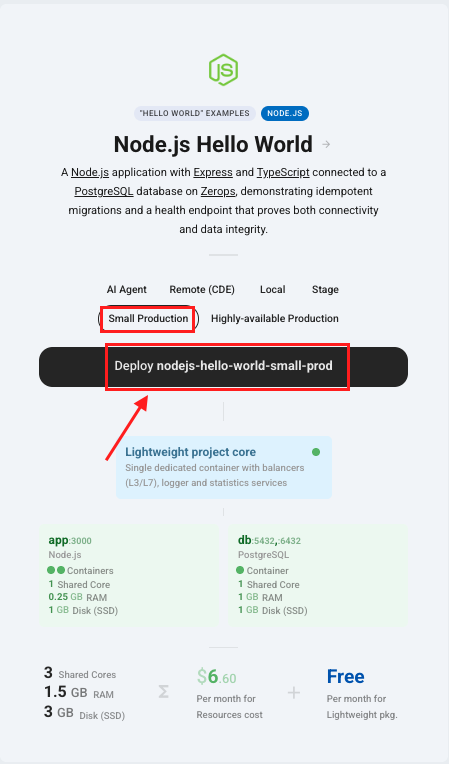
A recipe is a working app with infrastructure already configured: managed database, environment variables, zerops.yaml, everything connected. It's a correct starting point, not a finished product.
2. Watch it build
After hitting Deploy, you'll land on the dashboard. On the right side you'll see a pipeline already running.
It goes through these steps in real time:
- Initializing build container
- Running build commands from
zerops.yaml - Creating app version and upgrading service
- Done
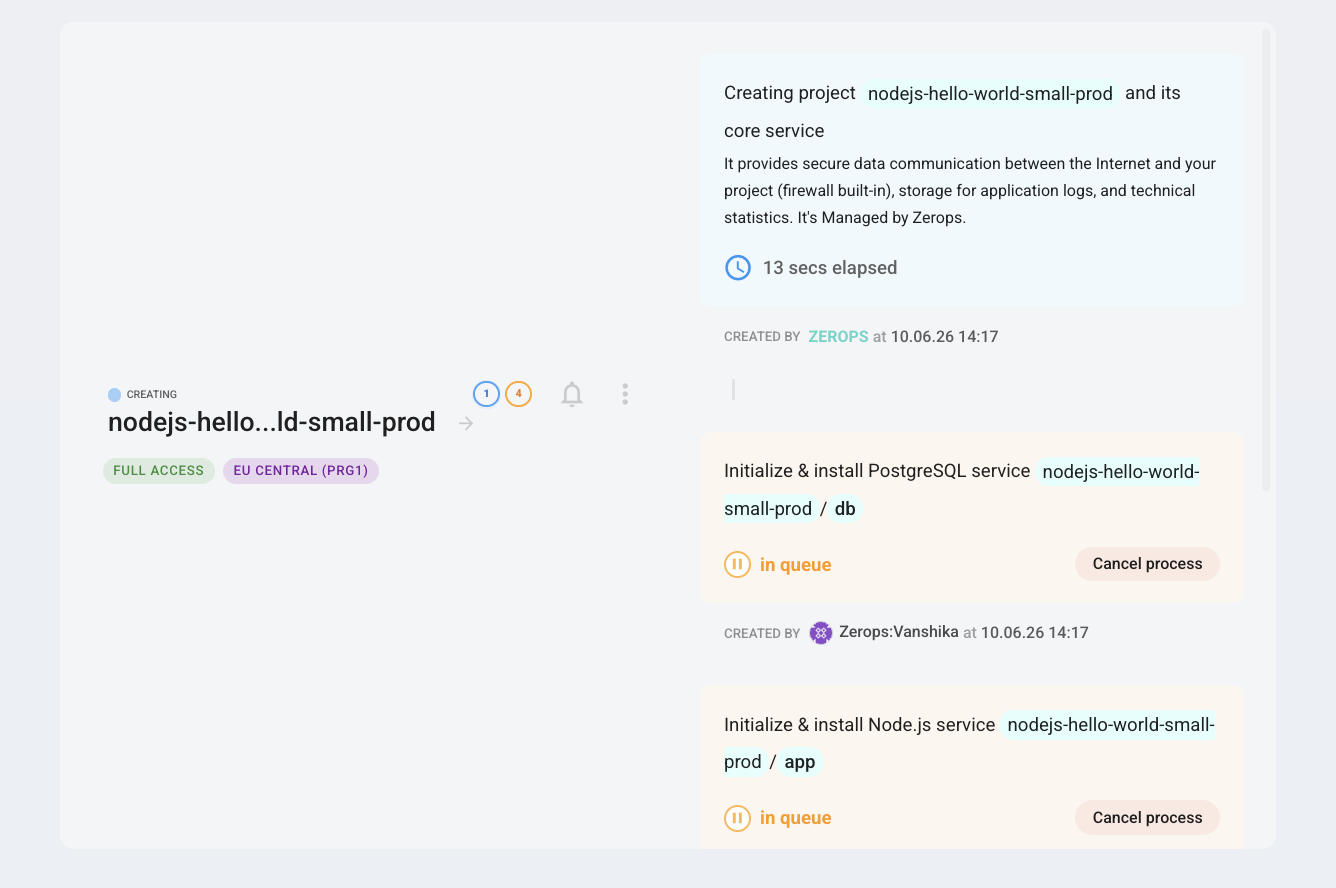
The build container is temporary and free. Zerops spins it up, runs your build, saves the output, and deletes it. You're only billed for the running app.
Once the pipeline finishes, your app is live.
3. See what got created
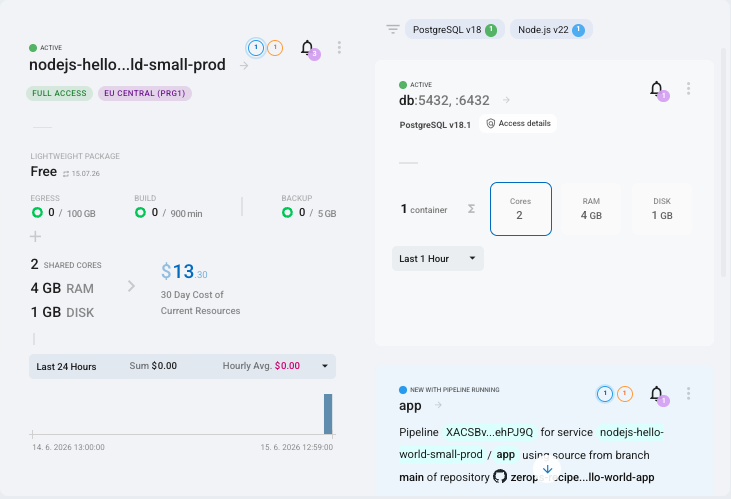
Click into your new project. You'll see:
- app: your Node.js service, already running
- db: a managed PostgreSQL database, already running
- Project core: load balancer, firewall, logger, all managed by Zerops
All of these are already talking to each other on a private network. Nothing to configure.
4. Open your live app
The Zerops subdomain is already enabled when you deploy from a recipe. Click into your app service and open the URL.
The default recipe app will be there.
When you're ready for production, point a custom domain at your app. Zerops handles the SSL certificate automatically.
You're live 🎉
Here's what's running:
- A real app on production infrastructure
- A managed PostgreSQL database, ready to use
- All services on a private network, secure by default
- Full Linux containers for your app — SSH in anytime, install anything
None of the infrastructure needed manual configuration.
Jump into the Zerops Discord. The community is active and the team is there.
Your app is live and the infrastructure is running.
Next up: Swap the recipe for the feedback app we showed you, connect GitHub for auto-deploy, and add yourself to the wall. Deploy your first app →